+ 3

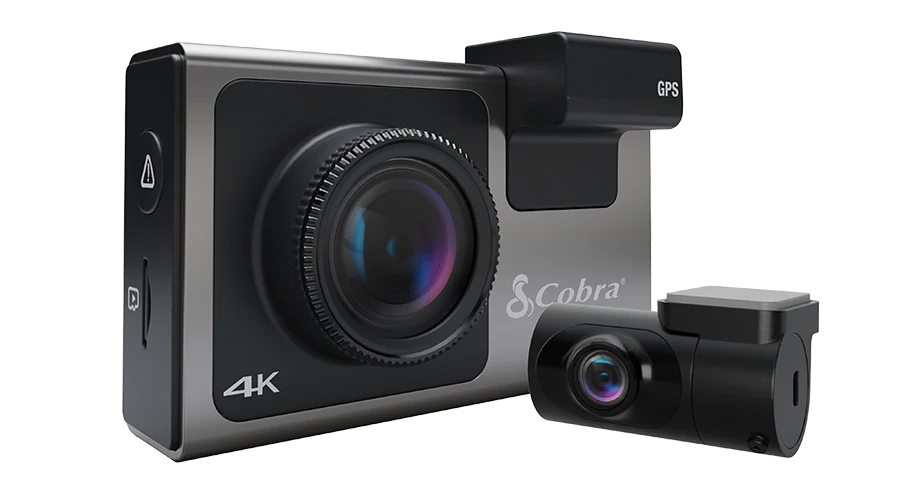
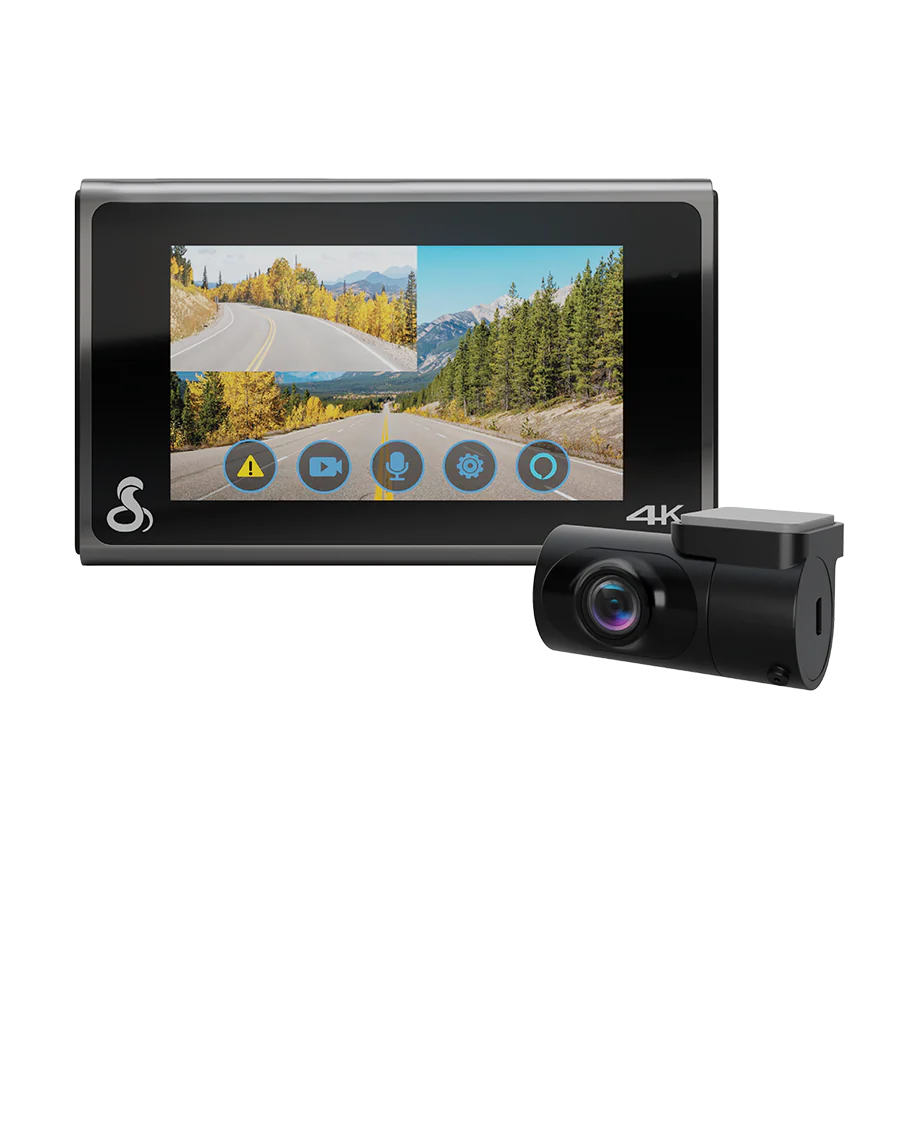
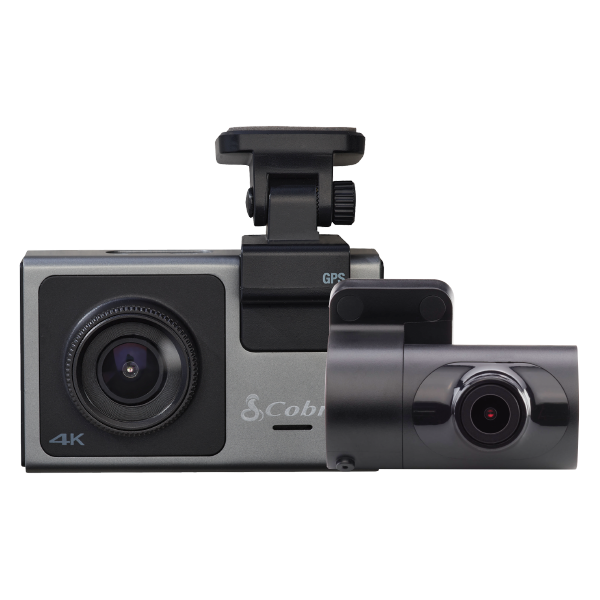
Cobra SC 400D

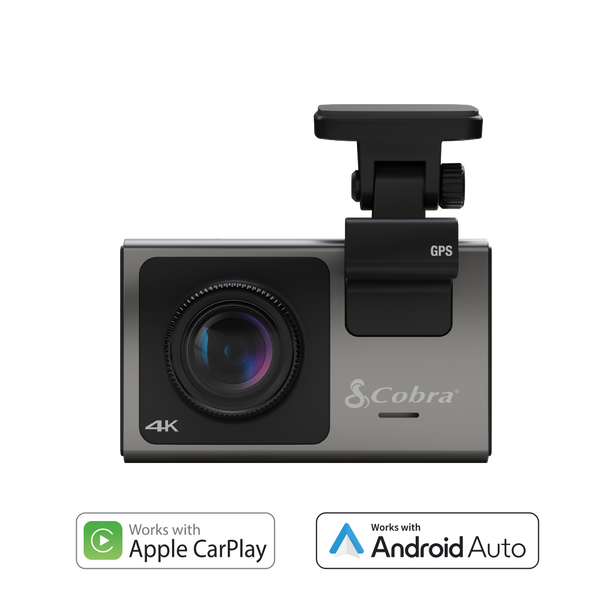
4K Smart Dash Cam with Optional Rear-View Accessory Camera

Configuration:

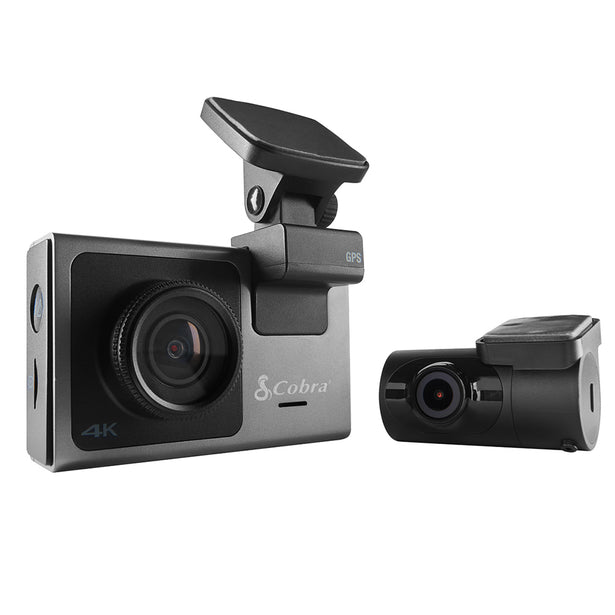
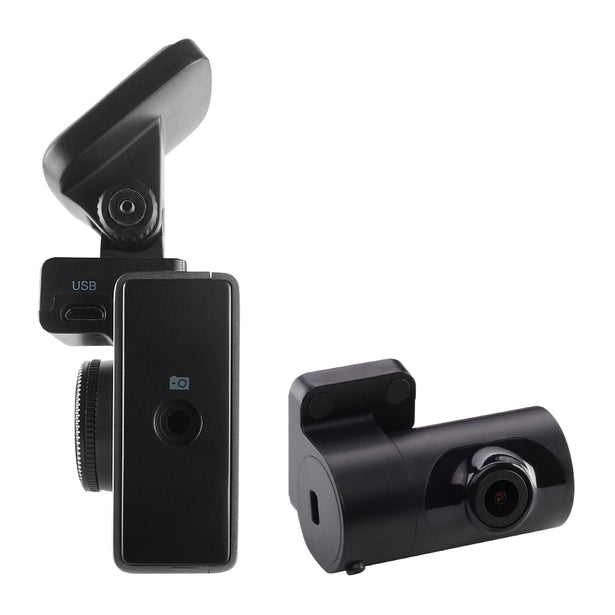
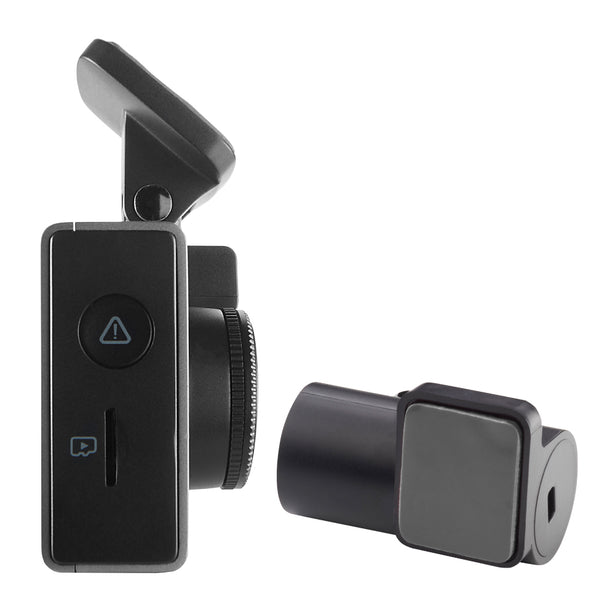
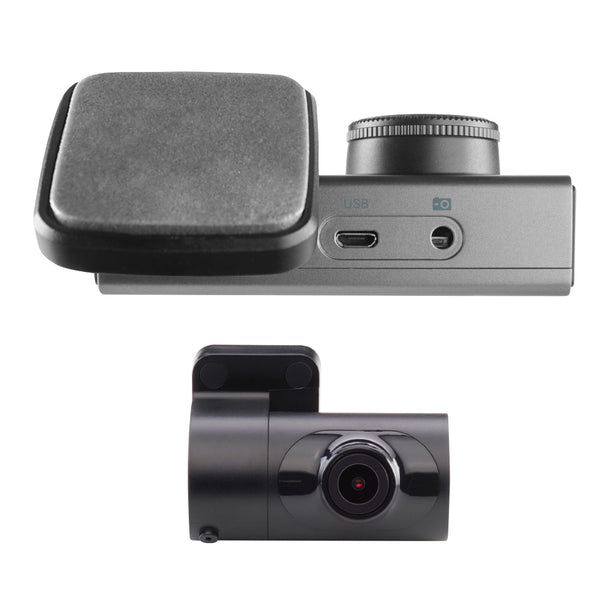
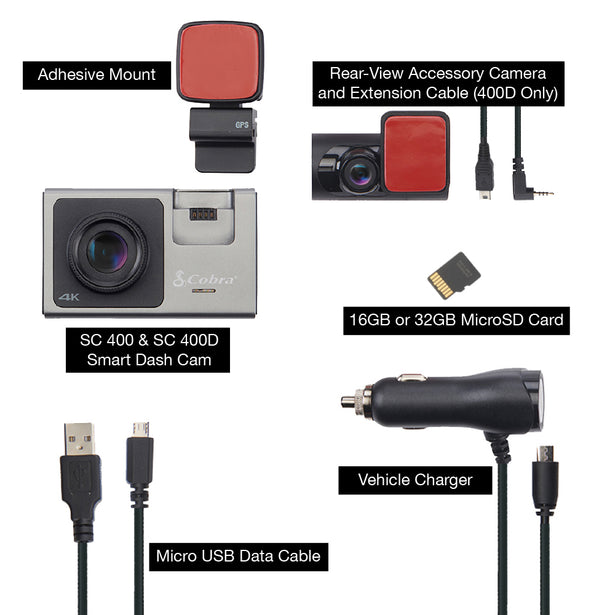
Includes dash cam, accessory rear-view camera, extension cable, Micro SD card, GPS camera mount, 12v power cord, and Micro USB data cable
Choose optional accessories:

Add Easy Hardwire Kit – OBDII to USB Power Adapter with Bypass

Add Full HD (1080P) Cabin-View Camera for SC 200 & SC 400

Add Full HD (1080P) Waterproof External-View Camera for SC Series

$399.95
List price $399.95

Whether you're on the road or parked, a commercial driver or commuter, hauling cargo or chauffeuring kids - you're covered from all angles in all situations. With stunning, easily shareable 4K UHD resolution, heads-up navigation, and live police alerts, there's no better way to protect the vehicles, drivers, passengers, and cargo you value most. See just how much peace of mind the award-winning Cobra SC 400 and SC 400D can provide.


Whether you're on the road or parked, a commercial driver or commuter, hauling cargo or chauffeuring kids - you're covered from all angles in all situations. With stunning, easily shareable 4K UHD resolution, heads-up navigation, and live police alerts, there's no better way to protect the vehicles, drivers, passengers, and cargo you value most. See just how much peace of mind the award-winning Cobra SC 400 and SC 400D can provide.


Cobra SC 400D
List price $399.95
- +
Discounts for Military, First Responders, Teachers and Students through
ID.me military, first responder, teacer and student discounts See Terms

Discounts for Military, First Responders, Teachers and Students through ID.me military, first responder, teacer and student discounts See Terms

Buy direct from Cobra

USA-based support

Price match promise

Free shipping over $80

Simple returns

The Ultimate Solution to All of Life's Blind Spots

The SC 400D is the ULTIMATE smart dash cam you need to make your drive smarter and safer. With real-time alerts from the Drive Smarter community and Ultra HD 4K resolution, the SC 400D combines the best tech in an easy-to-use dash cam.

1See Every Detail in 4K

With Ultra HD 4K resolution and low-light sensitivity, you'll get 4x the pixel resolution of 1080P, so you can see and capture every detail on your drive

2Polarized lens filter

Glare-reducing polarized lens filter helps keep images sharp by minimizing haze and reflections

3Cover All the Angles Needed

With the included rear cam and optional cabin cam, SC 400D can record ahead, behind and even inside the vehicle all at the same time

4Incident Reports & Mayday Alerts

Instantly share incident details and videos with your insurance company. Mayday Alert notifies your contact in the event of a severe impact

5360 Alerts

Get notifications of red light camera locations, speed traps, and many more alerts from our nationwide network of drivers and sensors

6Cloud Video Management

Instantly store, edit, and share video footage from anywhere with built-in WiFi and the Drive Smarter® app

Drive Smarter® App

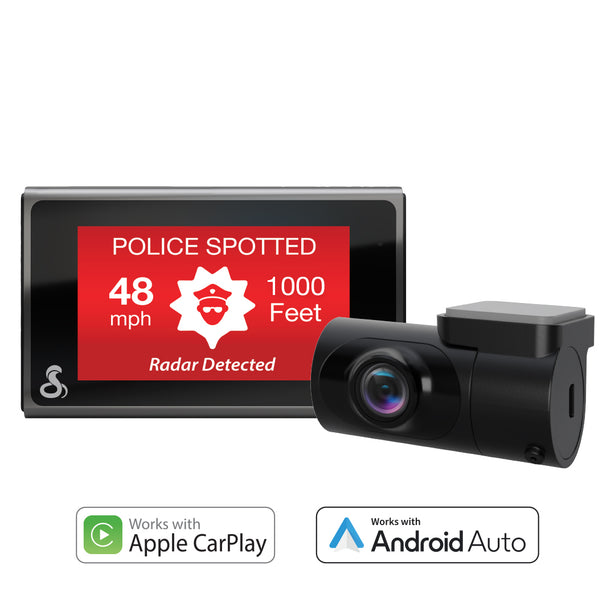
Upgrade your drive with a Cobra radar detector or dash cam and the Drive Smarter® app. Now compatible with Apple CarPlay® and Android Auto™, enjoy shared alerts, red light and speed camera locations, and real-time road conditions on your Apple CarPlay or Android Auto-enabled display.
Get it On Google Play Download on the App Store

Apple CarPlay® & Android Auto™

More icon
Conveniently view and verify shared alerts on your Apple CarPlay or Android Auto-compatible display.
Android Auto and Apple CarPlay support

Shared network alerts

More icon
Get advance warning of laser and radar alerts from other connected detectors
Shared Network Alerts UI

Device settings management

More icon
Easily adjust your features, alerts, and settings on any supported device
Android Auto and Apple CarPlay support
Shared Network Alerts UI

What's in the box?

Included with every new Cobra SC 400D:

  • Rear-view camera and extension cable* *only included with SC 400D
  • Micro SD card
  • GPS mount attachment
  • Extra adhesives
  • 12V vehicle charger
  • Micro USB data cable
  • Accessories & upgrades

    With 15 parts & accessories available for Cobra SC 400D, customize your setup and be ready for any journey.

    Product help, tech support, and more

    Take your knowledge to the next level. Get information and product support all in one convenient location.

    Access Support

    Update Your Device

    Connect your device to the Drive Smarter® app to update your device to the latest software. Firmware downloads are also available for installation directly to the device using a Micro SD memory card.

    Item # SC400D

    • Unit Dimensions: 3.41” H x 1.29” W x 2.03” D(86.5mm H x
      32.7mm W x 51.5mm D)(main cam)
    • Individual Box Dimensions: 7.52” H x 5.04” W x 3.15” D
      (191mm H x 128mm W x 80mm D)
    • Individual Box Weight: 1.47 lbs (667 g.)

    Is my camera compatible with Drive Smarter?

    Cobra's SC Series cameras (SC100, SC120/110, SC120, SC 200/200D, SC201, SC220C, SC250R, and SC400/400D) are compatible with Drive Smarter. Drive Smarter does not support legacy Cobra dash cameras (DASH Series, CDR Series) at this time.

    Do I need to pay for Drive Smarter?

    No, Drive Smarter is a free service provided to users of our SC series cameras.

    Why am I having trouble connecting the camera in Drive Smarter?

    You may have previously established a Bluetooth connection with the camera. If this is the case, please go into your phone's OS Bluetooth menu and 'Unpair' your camera from your phone.

    How can I use the Mayday Alert feature?

    Simply enable the G-Sensor and Mayday Alert setting on your camera, and enter your Emergency Contact info into Drive Smarter. From there, Drive Smarter and the dash camera will take care of the rest. If the camera detects that you have been in a serious collision (Level 5 G-sensor event), it will automatically lock the latest recording and notify your emergency contact.

    How do I connect my camera via Wi-Fi?

    You do not need to manually establish a Wi-Fi connection to your dash cam. Drive Smarter uses Bluetooth to automatically manage connection types depending on which feature you are using within the app. If you are using a feature that requires Wi-Fi, the app will walk you through establishing a a Bluetooth connection. Note: Older Android operating systems (Android 6, 7, and 8) may prompt the user to exit the app and connect via the OS Wi-Fi menu.

    Why is Alexa not working?

    • Some SC-400 models made before 2025 are compatible with Alexa. If you own an Alexa-enabled model, ensure that you have downloaded the Alexa App. You need to connect your camera to the Alexa app to enable this feature.
    • Check that the volume on your phone is turned up. The SC 400D uses its specially tuned microphones to invoke Alexa from the background of your phone and automatically reconnect when you enter your car. The phone is still the main source of audio for Alexa, enabling you to hear the replies through your car’s speakers.
    • Check that Bluetooth is enabled on your phone.
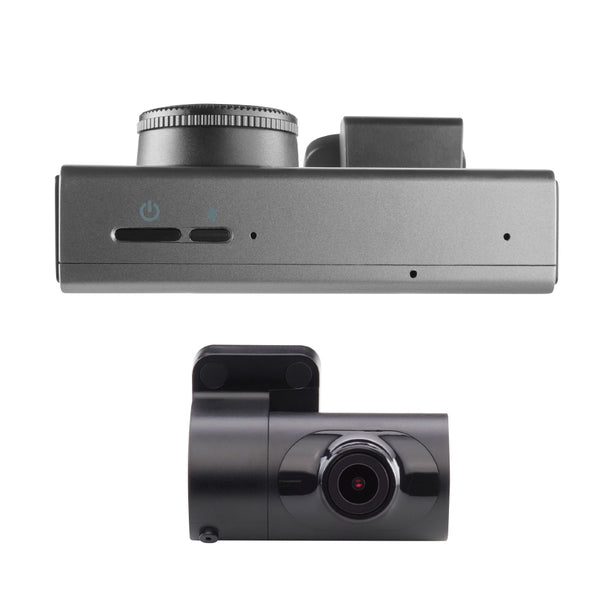
    • If you see a red bar on the camera, press the Alexa mute/unmute button on the bottom of the unit next to the power button.

    Overall rating: 3.7230768 / 5 from 130 reviews.

    AI Generated Review Summary

    The Cobra SC 400D dashcam offers excellent camera quality, amazing video, and a good look, though some users find the app and basic functions challenging. It provides peace of mind with its 4K UHD resolution and heads-up navigation.

    Summary topics

    • Camera Quality: 23%
    • Aesthetic Appeal: 5%
    • Picture Quality: 13%
    • Video Quality: 9%

    Review topics: ["quality","setup","features","look","mount","connection","display","works","expectations","warranty","use","camera","dash cam","app","video","picture","install","unit","cobra","function","clarity","cable","manual","information","equipment","set","kit","questions","idea","radar"].

    Review highlights

    • "We haven't ever tried the voice command function, so that's next The video clarity is really amazing and sharp."William M.
    • "You can quickly mark the video for easy finding later."MICHAEL K.
    • "Great image and sound quality."Ryan B.

    Reviews

    Best of the best.

    "I have 3 dash cameras, all of them are cobras. They all work well but the best is the SC400. It has the most features and is very easy to use. Installation is easy and fast. The thing I like most is the way it performs with the 700i radar detector and the Drive Smarter app. It works so well that it is hard not to move it from vehicle to vehicle."

    Wayne H. (5/5)

    Unfortunately I can’t recommend

    "I owned my unit for just over a year, when it started constantly detecting crashes. IT’S A VERY COMMON ISSUE, just search on the internet. I was advised to purchase a fairly expensive card, which I did, and that did not solve the issue. I was offered 50% off a new unit which clearly shows they do not expect their products to last long. . I am extremely frustrated and angry that I spent hundreds of dollars on this unit. What a disappointment!"

    Joe U. (1/5)

    DO NOT BUY!!! Camera cannot withstand high temp.

    "Do not buy this camera if you intend on keeping this product in your car. It melted, at first it was cosmetic and after 1 year of use, it became unusable. Contacted the company directly and no explanation on why or provided any support to replace. I had a GoPro for 10 years in my car and it never melted."

    Monica (1/5)

    Not worth the trouble

    "The device continue to disconnect from the app. The voice commands would not activate as directed. The unit would not consistently energize when the vehicle was started. Fought with it for 3 days straight. Finally conceited a defeat, returned the product"

    Stephen M. (1/5)

    Best Cam

    "Easy to install with the constant power adaptor. It’s easy to connect to the camera to replay."

    David R. (5/5)

    Cobra SC 400D

    "Works great. Got some pictures from traveling and was easy to install and use. Highly recommended"

    Casey F. (5/5)

    Stopped connecting to the drive smart app

    "I bought this camera brand new with the 3rd interior cam as well. It worked great for a little over a year with 0 issues. I always updated the APP and the camera when there were updates. I would use the camera to record video and post on social media of certain senic view drives I took. Then one day I needed to get into the cam because of a lady that ran a stop sign and hit me because she was playing on her phone. All of a sudden I could no longer get into the dashcam via the app to show the officer it was the lady's fault and not mine. Her and her witness who was also on her phone said I was the one to run the stop sign. Well 2 against 1 so I got the ticket. So I went home and tried everything I could to get the footage off the camera because I was going to fight the ticket and fight the insurance claim being filed against me. I ended up buying an SD card reader that connects to my phone and pulled the card out of the camera and got mu footage that way. My ticket ended up being tossed out and my insurance refused to pay the claim. My insurance ended up repairing my car because the police report said that I was the one at fault so her insurance wouldn't cover my car. And I missed a day of work for something. I never should have had to miss to begin with. If the apps and camera had worked properly when needed. I tried contacting customer service and they would give me the basic update the APP and camera with it already was or the put the original card back into the camera which it already was I never took it out, I never needed to it was plenty big enough. I sent then screen recording of my phone trying to get into the camera via the app and they even agreed the camera wasn't connecting and the would get with their tech team and see what the issue was and get back to me. I would periodically check in, and they never had an update, eventually they just quit responding to me."

    Jerry B. (1/5)

    Terrible Product & Customer Service

    "Listen to the 1 star reviews because we had the same issues after about a year and a half. Think customer service will help? Nope. Their customer service was awful. Would ghost us, so I started complaining on their FB page. They reached out, then would say things like my husband didn’t send the proper information when they had asked previously, but we could prove that he did. They were useless. Oh, and the warranty is conveniently up after 1 year. Problems with the cameras: My husband’s- stopped connecting to app (can’t fix), and memory was full due to emergency recording. Customer service advised he must break hard- he doesn’t. Mine- stopped connecting to app (can’t fix), screen would partially be black due to heat (we live in MD), camera stopped turning on when I would start my car. I have to take it down each time I turn my car off to include short times like getting gas. If I left it up, then I would have to take it down because it would not turn back on when pressing the power button. Seriously. Do not buy! We’d give negative stars if we could. We’ve already purchased dash cams from another company to replace the cobra ones, which is a shame after such a short amount of time with them."

    Kim (1/5)

    Misleading

    "Anyone looking to purchase one of these cameras DON'T, it's not as described. in no way does it detect radar,no backup battery for unit. Mine shuts off during use while traveling. I always have to re adjust my settings to get front and rear recording. Very disappointed in Cobra they used to put out good products, and won't stand behind their products. @ $399 this is crap."

    Dale C. (1/5)

    I love my cobra. It

    "I love my cobra. It is top quality, easy to use and worth every penny. Don't get fooled by the cheap counterfeits"

    Jean D. (5/5)

    Q&A

    What’s the hottest temperature this camera can handle? LV,NV summer heat can get up to 120° inside a car
    While the SC 400D is designed to withstand heat, we do not recommend leaving it in extreme heat for an extended period of time. For more information, please contact our Customer Support team at 800-543-1608.
    What is the length of the cable for the rear view cable?
    Thank you for your question. The rear cable is 16.4ft.
    Why is there a RED line on the screen
    Thank you for your question. The red line indicates that Alexa is muted. You will see the following representations: Blue is when Alexa is listening and waiting for a command, yellow is when Alexa is enabled but disconnected from the device, and red is when Alexa is muted. If there is no line, Alexa is disabled or in stand by mode, and will activate when the wake word is spoken.
    What is the maximum size SD card I can install in the dash cam?
    The Cobra SC 400D can support up to a 256GB micro SD card.
    what is the parking assist?
    Parking Mode uses the Motion Sensor and G-Sensor to monitor while your vehicle is parked. The idea is that when you are parked, the dash cam will be “sleeping”, but it will monitor surroundings for motion along with G-Sensor impacts. If it detects motion or if it detects an impact, then the unit will wake up and start recording. The camera will enter parking mode after 5 minutes. If there is no motion is during this period, the display will turn off and the recording will stop (the camera monitors for g-sensor impacts or motion). If motion is detected or if a G-sensor impact above Level 1 is triggered, the unit will wake up and start saving 1 minute clips for as long as activity is being detected. Note: For Parking Mode to work the camera needs to be connected via hardwire kit (part: CAMICROUSB-003) or be plugged into an ‘always on’ Cigarette Lighter Socket. You can check if your vehicle has an ‘always on’ CLA adapter online or in the vehicle’s owner’s manual.