+ 6

Cobra SC 220C

Protection Inside and Out

Selection:

Includes dash cam with front & interior cameras, Micro SD card, camera mount, 12v power cord, cable management kit, and USB data cable
Choose optional accessories:

Add Easy Hardwire Kit – OBDII to USB Power Adapter with Bypass

$199.95
List price $199.95

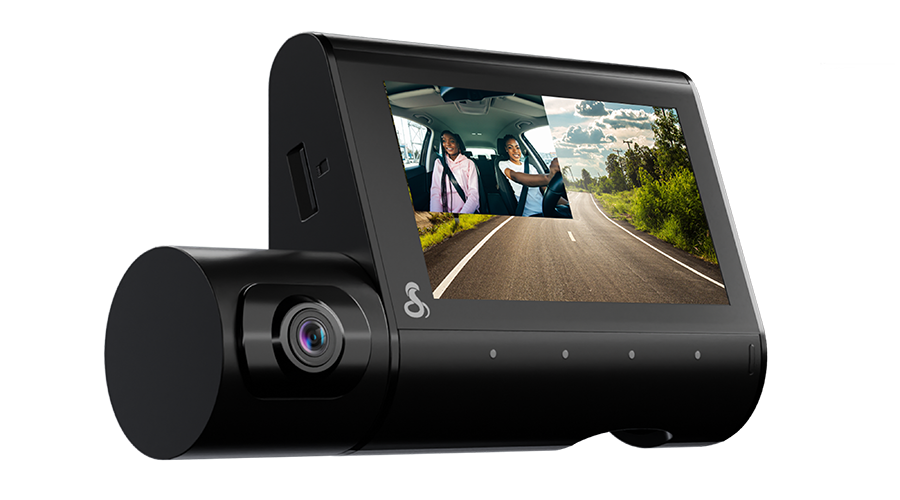
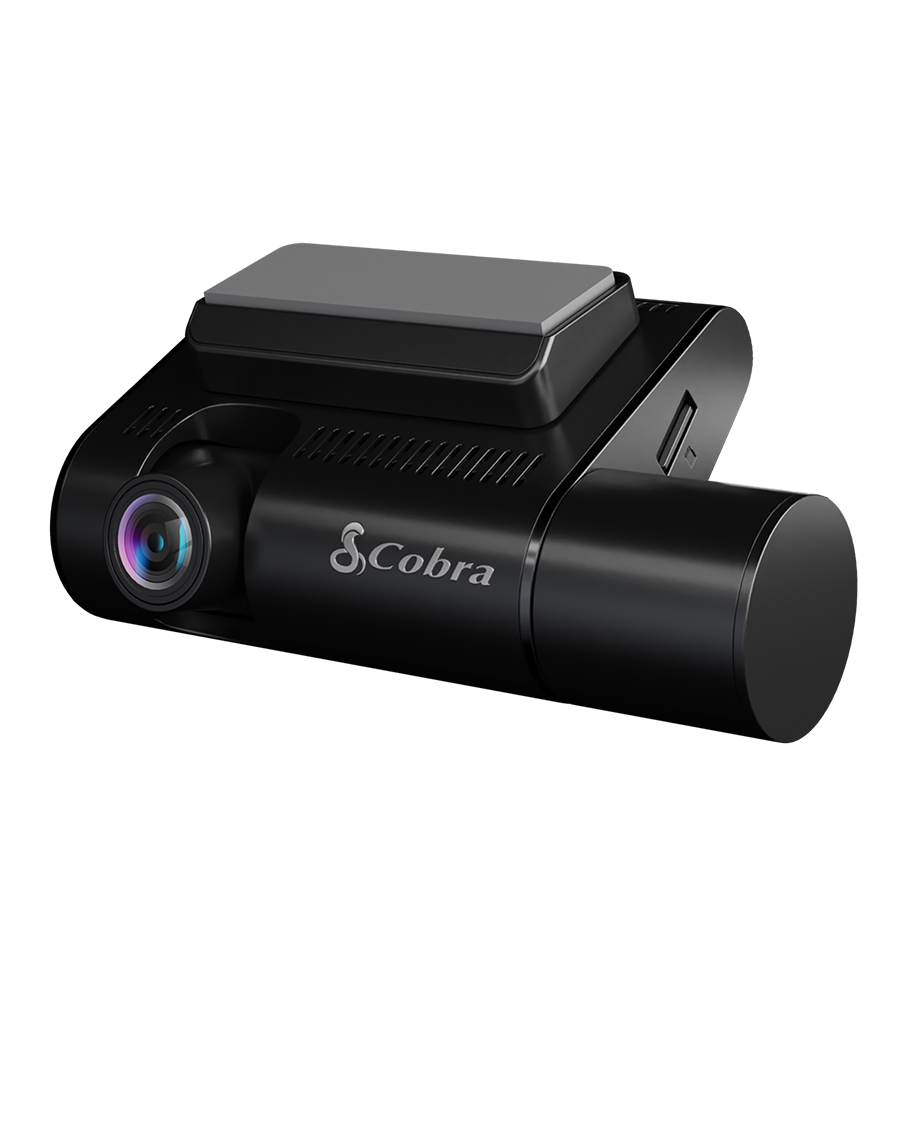
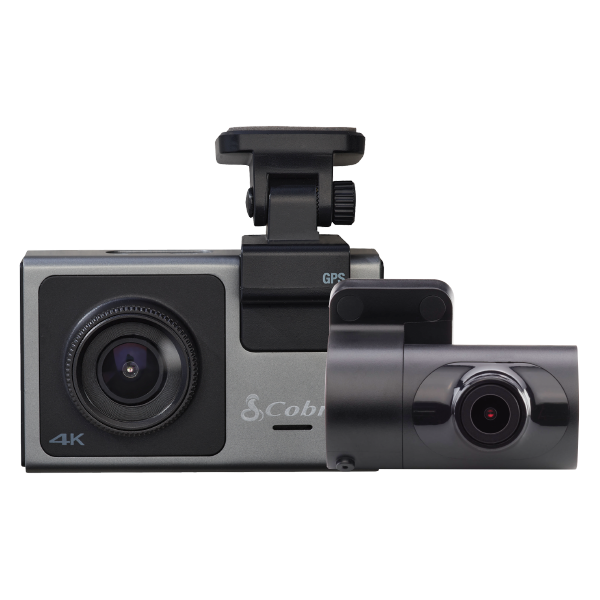
The Cobra SC 220C is a dual-view camera that captures the front and interior of your vehicle for comprehensive security. Add in QHD resolution, 360 Alerts, and Parking Live View — and you have comprehensive security that never blinks.

The Cobra SC 220C is a dual-view camera that captures the front and interior of your vehicle for comprehensive security. Add in QHD resolution, 360 Alerts, and Parking Live View — and you have comprehensive security that never blinks.

Cobra SC 220C
List price $199.95
- +
Discounts for Military, First Responders, Teachers and Students through
ID.me military, first responder, teacer and student discounts See Terms

Discounts for Military, First Responders, Teachers and Students through ID.me military, first responder, teacer and student discounts See Terms

Buy direct from Cobra

USA-based support

Price match promise

Free shipping over $80

Simple returns

Quad HD, 360 Alerts & Interior Cam

The Cobra SC 220C is a dual-view camera that captures the front and interior of your vehicle for comprehensive security. Add in QHD resolution, 360 Alerts, and Parking Live View — and you have comprehensive security that never blinks.

Cobra SC220C Dash Cam driver view

1Clarity You Can Count On

QHD 1440P video resolution provides the clarity and details you need, whether it's a scenic drive or it's an accident you're involved in

2Double the Video Protection

With a Quad HD front camera and Full HD 1080P interior-facing camera, you'll capture what's happening wherever it happens

3See What Your Dash Cam Sees

A 3" screen display shows exactly what the cameras are recording so you know you've got the right angles covered during your drive

Cobra SC220C Dash Cam front view

4More Than Just A Dash Cam

Get notifications of red light camera locations, speed traps, and many more alerts from our nationwide network of drivers and sensors

5Relive your Road Trips

Use Trip Clips to create condensed time-lapsed videos of your scenic drives and adventures to easily share with friends and family

6Clear Video, Even At Night

Infrared night vision in the interior camera allows you to capture what's going on inside your cabin, even in dark conditions or at night

Drive Smarter® App

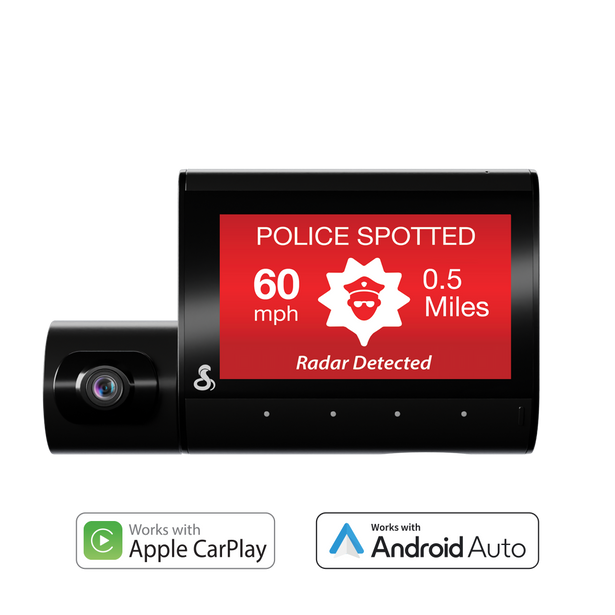
Upgrade your drive with a Cobra radar detector or dash cam and the Drive Smarter® app. Now compatible with Apple CarPlay® and Android Auto™, enjoy shared alerts, red light and speed camera locations, and real-time road conditions on your Apple CarPlay or Android Auto-enabled display.
Get it On Google Play Download on the App Store

Apple CarPlay® & Android Auto™

More icon
Conveniently view and verify shared alerts on your Apple CarPlay or Android Auto-compatible display.
Android Auto and Apple CarPlay support

Shared network alerts

More icon
Get advance warning of laser and radar alerts from other connected detectors
Shared Network Alerts UI

Device settings management

More icon
Easily adjust your features, alerts, and settings on any supported device
Android Auto and Apple CarPlay support
Shared Network Alerts UI

What's in the box?

Included with every new Cobra SC 220C:

  • Cobra SC 220C Dash Cam
  • Interior Camera
  • 16GB SD Card
  • Cable Management Kit
  • Temporary Install Film
  • Power Cord
  • USB Data Cable

Accessories & upgrades

With 14 parts & accessories available for Cobra SC 220C, customize your setup and be ready for any journey.

Product help, tech support, and more

Take your knowledge to the next level. Get information and product support all in one convenient location.

Access Support

Update Your Device

Connect your device to the Drive Smarter® app to update your device to the latest software. Firmware downloads are also available for installation directly to the device using a Micro SD memory card.

Item # SC220C

Key Specs

Front Resolution: 2560 x 1440 (QHD)

Interior Resolution: 1920 x 1080 (Full HD)

Front Field of View: 140 degrees

Interior Field of View: 120 degrees

Max Capable Camera Views: 2

Screen Size: 3"

Memory: 16GB microSD Card (up to 512GB)

Built-In GPS

Dual Band Wi-Fi

Bluetooth® Connectivity

USB-C

G-Sensor

Features

Heads-Up Navigation

Loop-Cycle Recording

360 Alerts with the Drive Smarter® App

Emergency Mayday Alert

Automatic Incident Detection & Reports

Parking Mode & Motion Detection

Trip Clips

Privacy Mode

Extreme Temperature Protection

Cloud Video Management

Night Vision (Interior Camera)

On-Screen Display Languages: English, Spanish, French

Unit Dimensions

Weight: 0.42 pounds

Height: 2.56"

Width: 3.27"

Depth: 1.3"

Why am I having trouble connecting the camera in Drive Smarter?
Attempt restarting the dash cam (wait 30 seconds before powering back on) and attempt connection again. In parallel, restart the Drive Smarter app and attempt to connect again. 
NOTE: Please ensure you have Bluetooth enabled on your phone.

How do I connect my camera via Wi-Fi?
You do not need to manually establish a Wi-Fi connection to your dash cam. Drive Smarter uses Bluetooth to automatically manage connection types depending on which feature you are using within the app. Simply use the Drive Smarter app to access gallery view or live view.


How do I enable Parking Mode Protection?

For Parking Mode protection the camera needs to be hardwired to the vehicle’s battery using our hardwire kit in order to provide constant power to the dash cam (part numbers 0010070-01 for OBDII port or 0010073-01 for fuse box).


How do I view my camera’s feed remotely?
In order to use the Parking Live View feature the camera needs to be connected to the internet via in-vehicle WiFi, an in-car adapter, or another form of internet connection within range of the camera. Please connect your dash cam to your desired internet connection using the Drive Smarter app and the camera connect to it automatically in the future.

When the camera is on (being driven or has been turned on by detecting an incident during parking mode) the account holder can view the camera’s feed using the Drive Smarter app or by visiting Drivesmarter.com to use the web portal.

For Parking Mode protection, the camera needs to be hardwired to the vehicle’s battery using our hardwire kit to provide constant power to the dash cam (part numbers 0010070-01 for OBDII port or 0010073-01 for fuse box).


How do I get radar, speed camera, red-light camera alerts on my camera?

Simply connect your dash cam to the Drive Smarter app and our connected network of alerts will be pushed to the dash cam when a threat is nearby. The Drive Smarter app will connect to the dash cam automatically after first connection when Bluetooth is enabled. Ensure that Real-Time Driver Alerts setting is enabled on the dash cam.

Overall rating: 4.347826 / 5 from 23 reviews.

AI Generated Review Summary

Summary topics

Review topics: ["features","works","dash cam","camera","video","function","recording"].

Review highlights

Reviews

Wouldn't recommend to my worst enemy.

"With $40 dash cams available everywhere, i assumed spending $200 on a dash cam that claims to have endless features would be a great idea. I made the terrible mistake of choosing this one. Not only does the recording button take 30-45 seconds to begin recording (meaning i must predict the future in order to properly save a recording) but i can't view the gallery from my phone. The dash cam attempts to create its own wifi, which only works with my phone 1/10 times that the wifi actually turns on. Nothing uploads to any sort of cloud, so if you wanted to save that clip from earlier today. Simply go hop in your car and start it, wait for the camera to decide it feels like turning on, pray that it's wifi actually works, then connects to your phone, after you've done that, continue praying the app decided to load or let you see the gallery! Awful product, please save your money and get a cheap and reliable one off of amazon. Even their website is hot garbage and barely functional. The Send Review button is hidden behind the customer service button 😂"

Elijah (1/5)

more than perfect

"the design of the sc220c is perfect! records continuously while driving, motion and impact sensing while parked and sleeping. no touch after set-up! settings menu available. connects to internet when available! has an app for your phone. recordings and live view."

Joseph W. (5/5)

Awesome Cobra Dashcam

"I just recently purchased a Cobra SC 220C dash camera and I can say, the video is super. I like the way they have function laid out. Everything is so easy to read and set up. I also love the front and rear camera combo. I was able to download the app which after setting it up sent me to the website."

BENNIE D. (5/5)

The angle of the viewing

"The angle of the viewing screen when attached to the window is very bad and causes a bad glare which makes the screen hard to see."

Doug K. (3/5)

Gifts waiting

"I have yet to install either of the dash cams I bought as they are going to be graduation gifts for two teen drivers. Past Cobra dash cams were handy enough I bought two more."

Paul M. (5/5)

Excellent Camera

"A great unit with a great offer and deal from Cobra with the added power adapter into the OBD. Highly recommended."

Evelyn S. (5/5)

I have not had it

"I have not had it long enough to be able to rate all of the functions, but it seems like a cool little device."

Robert S. (5/5)

Cobra SC 220C Dash Cam

"This camera works well. Easy to use controls and function menus. Ordered with the "OBD" power cable for easy install and full function. I love it!"

STEPHEN M. (5/5)

After registering the device once

"After registering the device once I received it and installed the drive smarter app on my cell phone am not able to login since keep receiving the message that my login credentials does not exist"

Elijah M. (2/5)

Somewhat Disapointed

"Purchased the Cobra SC 220C Dash Camera because of the features and the ability to move the camera to other vehicles. However, when trying to purchase additional window mounts for this Dash Camera that costs $4. 95 per mount, Cobra wants to charge me $75 UPS shipping to Hawaii, and does not give me the option to ship this part through USPS for less than $12. It is very disappointing how many vendors treat the State of Hawaii as a 3rd world country when it comes to shipping charges."

David F. (3/5)

Q&A

Is there a different mount for this model? Something so you can turn it because of the slope of the window. Using in a truck windshield is v shaped camera is always turned to far left.
Thank you for your question. The SC 220C is only compatible with the adhesive mount. Locate a central area on your vehicle's windshield, preferably near the top. The dash cam should be positioned so that its display is easily visible. If desired, you can apply the included electrostatic film for a semi-permanent installation.